
Best WordPress Hosting for Small Businesses (2025 Guide to Fast, Reliable & Affordable Options)
Choosing the right WordPress hosting is one of the most important decisions a small business can make. The hosting provider you select affects your website’s speed, reliability, security, and overall performance. For business owners who depend on their online presence—whether to attract clients, sell products, or build a brand—good hosting becomes the foundation of long-term success.
At LightWeb Media, we have worked with hundreds of businesses across many industries. We’ve seen firsthand how choosing the right hosting provider can dramatically improve a site’s performance, and how poor hosting can cause ongoing problems such as slow load times, unreliable uptime, or unexpected errors. This guide summarizes our hands-on experience and testing to help small business owners make a confident, informed decision.
Why Hosting Matters for Small Businesses
The Role Hosting Plays in Website Performance
Your hosting provider determines the server environment where your website runs. If that server is fast and modern, your site loads quickly and performs well. If the server is slow or unreliable, even a beautifully designed site can feel sluggish or unprofessional.
A high-quality host supports:
- Faster loading webpages
- Better user experience
- Higher conversion rates
- Fewer technical problems
- Stronger website security
When your business depends on online traffic, every second of load time and every moment of uptime matters.
Why Many Businesses Underestimate Hosting
Small business owners often focus on design, branding, or marketing while treating hosting as a simple commodity. In reality, hosting is the engine that powers everything else. A poor hosting provider can limit speed, cause site crashes, or make updates difficult, all of which impact business results.
What Small Businesses Should Look For in WordPress Hosting
Fast Server Performance
Your host should use fast, modern technology that allows your website to load quickly. Look for hosts using LiteSpeed, NGINX, or optimized cloud servers. Fast hosting helps reduce bounce rates and supports better engagement.
Strong Uptime Reliability
Your site needs to remain accessible at all times. A good hosting provider should consistently maintain at least 99.95% uptime, ensuring your business is always reachable.
Security Features
Security is vital, especially for small businesses that may not have in-house technical staff. Effective hosting includes firewalls, malware scanning, and consistent monitoring.
User-Friendly Dashboard
Non-technical owners benefit from a simple control panel. This makes managing email, backups, WordPress installations, and domains easier.
Scalability Options
As your business grows, your hosting should be able to grow with you. Look for options to easily upgrade server resources or move to a more powerful plan without downtime.
| Hosting Provider | Performance | Support | Ease of Use | Pricing | Best For | Key Strength |
|---|---|---|---|---|---|---|
| Hostinger | Fast (LiteSpeed) | Strong | Very Easy | Very Affordable | Most small businesses | Best value overall |
| WPX | Extremely Fast | Outstanding | Easy | Moderate | SEO + funnels | Fastest support + speed |
| Cloudways | Very Fast | Good | Intermediate | Flexible | Growing businesses | Scalable cloud hosting |
| SiteGround | Fast | Excellent | Very Easy | Moderate | Beginners | Simple managed hosting |
| Kinsta | Premium Fast | High-Level Support | Easy | Higher Price | Established brands | Enterprise reliability |
| Nexcess | Fast | Good | Moderate | Moderate | WooCommerce stores | Auto-scaling + store tools |
Best WordPress Hosting for Small Businesses in 2025
Based on our experience and testing, the following hosting providers offer the strongest combination of performance, value, reliability, and ease of use for small business owners.
1. Hostinger — Best Overall Hosting for Small Businesses
Why Hostinger Stands Out
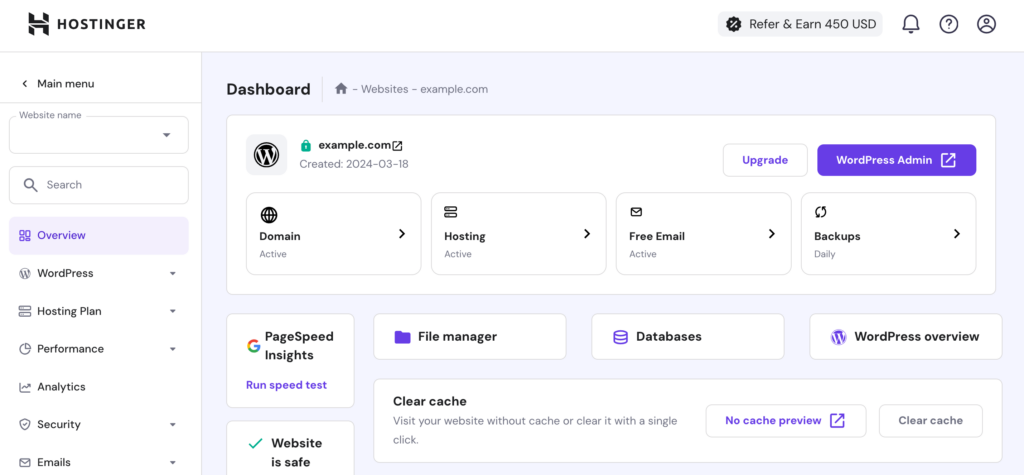
Hostinger is our top recommendation for most small businesses because it offers excellent performance at a very affordable price. → View Hostinger’s current plans. The service uses LiteSpeed servers, which are known for strong speed and efficiency on WordPress sites. Hostinger’s dashboard (hPanel) is simple, intuitive, and much easier for beginners than traditional cPanel environments.
Key Advantages
- Very fast load times
- Affordable pricing
- Beginner-friendly interface
- Global server options
- Free SSL and frequent backups
When Hostinger Is the Right Choice
Hostinger fits small business owners who want fast, reliable hosting without overspending. It works especially well for coaches, service providers, local businesses, and personal brands.
Drawbacks to Consider
Hostinger’s lowest prices require a long-term commitment, and phone support is not available. However, support chat is reliable and responsive.
2. WPX — Best Hosting for Speed and High-Quality Support

Why WPX Is Worth Considering
WPX is one of the fastest WordPress hosting providers available and is known for its exceptional customer support. Businesses that rely on fast loading—such as content-heavy websites, course platforms, or online funnels—will benefit from WPX’s speed advantage. View WPX pricing plans >>
Key Advantages
- Extremely quick server response times
- Support replies often under 30 seconds
- Built-in high-speed CDN
- Free malware removal
- Clean and simple dashboard
Who Should Choose WPX
WPX is ideal for businesses where website performance directly affects revenue. This includes SEO-driven websites, coaching funnels, and online marketing campaigns.
Possible Limitations
WPX is more expensive than entry-level hosts and offers fewer customization options than cloud providers. However, its speed and support often justify the price.
3. Cloudways — Best Hosting for Growing and Scaling Businesses
Why Cloudways Excels with Growing Companies
Cloudways is a managed cloud hosting provider that gives you access to high-performance infrastructure from companies like DigitalOcean, Vultr, and AWS. This allows you to choose a hosting environment that fits your budget and performance needs.
View Clowdways pricing plans >>
Key Advantages
- Scalable performance without downtime
- Choice of multiple cloud platforms
- Strong global coverage
- Advanced caching technology
- Transparent, pay-as-you-grow pricing
Who Cloudways Is Ideal For
Cloudways is perfect for fast-growing businesses, active blogs, membership sites, and online stores that need more control or anticipate increasing traffic.
Considerations Before Choosing Cloudways
The platform offers flexibility but requires slightly more technical understanding than traditional shared hosting. Email hosting is not included by default and must be added separately.
4. SiteGround — Best Managed Hosting for Simplicity

Why SiteGround Works for Beginners
SiteGround is widely known for its easy-to-use interface and strong customer support. It offers managed WordPress hosting features that make setup and ongoing maintenance simple for non-technical business owners.
Key Advantages
- User-friendly dashboard
- Excellent customer support
- Daily backups included
- Built-in caching
- Reliable performance on Google Cloud
Who Should Choose SiteGround
SiteGround is ideal for beginners, small local businesses, and anyone who wants professional hosting without managing technical details.
A Few Downsides
Renewal pricing is higher than introductory rates, and performance is strong but not at the level of premium hosts like WPX or Cloudways.
5. Kinsta — Best Premium Hosting for Maximum Reliability
What Makes Kinsta Premium
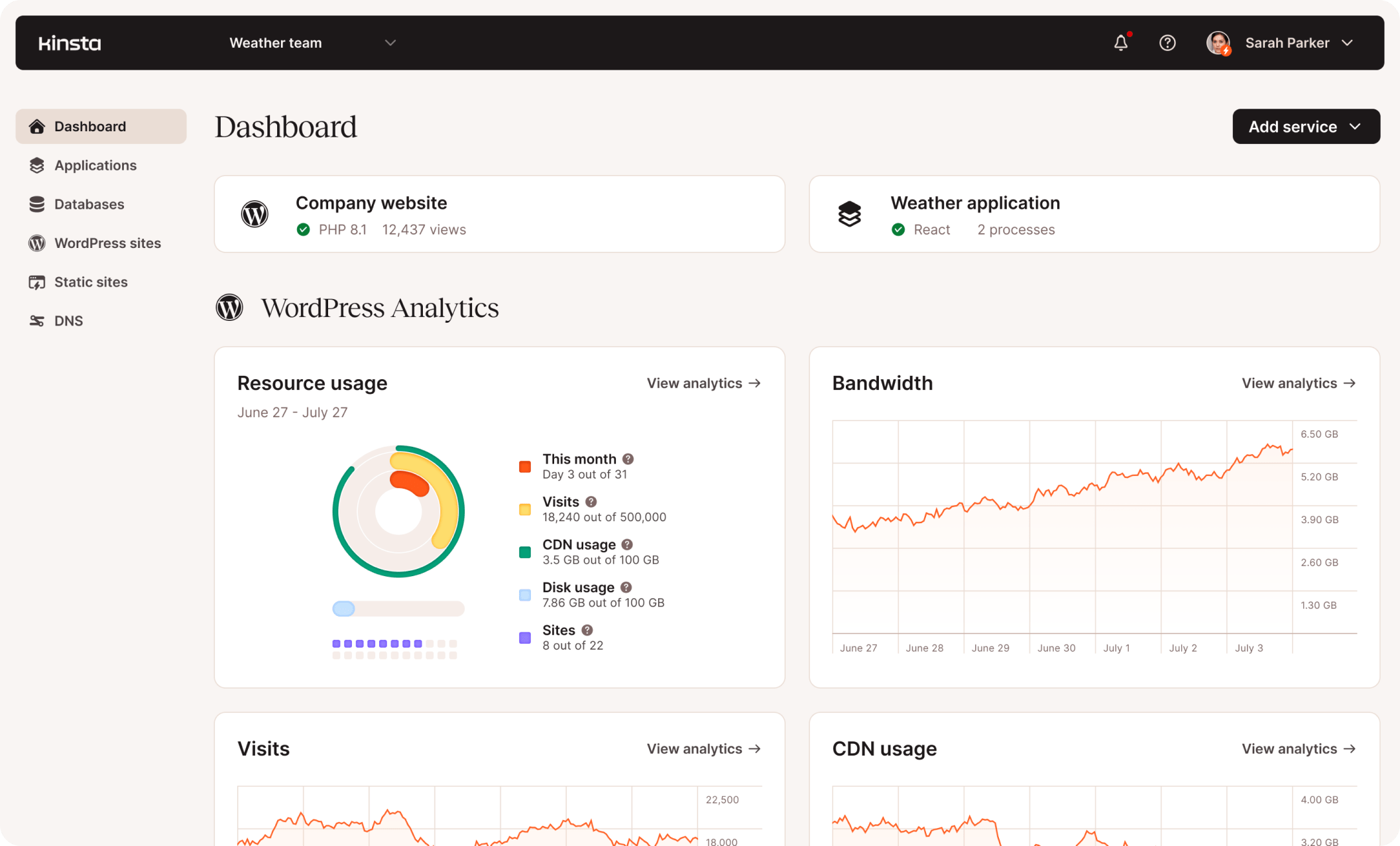
Kinsta uses Google Cloud’s Premium Tier network, delivering exceptional performance and enterprise-level reliability. It is a premium option for businesses where website speed, security, and uptime are critical.
Key Advantages
- Extremely fast performance
- Enterprise-level security
- Automatic daily backups
- Edge caching for global speed
- Expert technical support
Who Is Kinsta Best For
Kinsta is ideal for high-traffic sites, established brands, agencies, and online education platforms. For businesses where performance affects revenue, Kinsta offers unmatched reliability.
Considerations
Kinsta is one of the more expensive hosting options, and smaller sites may not need its full feature set. However, for serious businesses, it delivers outstanding value.
6. Nexcess — Best Hosting for WooCommerce and Online Stores

Why Nexcess Is Ideal for E-Commerce
Nexcess is designed for online stores, especially WooCommerce-powered storefronts. It includes performance enhancements and features that support product-heavy sites and unpredictable traffic patterns.
Key Advantages
- Auto-scaling during traffic spikes
- Tools designed specifically for WooCommerce
- Excellent uptime
- Optimized caching for product pages
- Stability even under load
Who Should Choose Nexcess
Nexcess is best for businesses selling physical or digital products. It is especially valuable during promotions, holiday sales, and major product launches.
Drawbacks to Consider
The platform offers more features than a simple business site may need, and the interface is more complex than basic shared hosting.
Comparison Summary of Top Hosting Providers
Best Overall: Hostinger
Affordable, fast, and simple for beginners.
Best for Speed and Support: WPX
Outstanding loading times and impressive customer service.
Best for Growth: Cloudways
Scalable cloud hosting with many configuration options.
Best for Beginners: SiteGround
Beginner-focused features and consistent support.
Best Premium Option: Kinsta
Enterprise-grade speed and reliability.
Best for E-Commerce: Nexcess
Optimized WooCommerce hosting with store-specific tools.
How to Choose the Right Hosting Provider
Choosing hosting becomes easier when matched to your business’s goals.
If your business is budgeting carefully:
Hostinger is your best option for affordable, excellent performance.
If your website must load extremely fast:
WPX provides exceptional speed and responsive support.
If you expect future growth:
Cloudways offers scalable hosting that can expand over time.
If you are new to website management:
SiteGround’s beginner-friendly tools are ideal.
If your business needs premium performance:
Kinsta offers one of the strongest hosting environments available.
If your store runs on WooCommerce:
Nexcess provides features built specifically for online sales.
FAQ: Best WordPress Hosting for Small Businesses
Final Recommendations from LightWeb Media
Based on years of working with small-business WordPress sites, the hosting providers we consistently recommend are:
Good hosting creates a foundation for your business’s digital success and ensures your website remains fast, secure, and easy to maintain.
Some links in this article are affiliate links. If you choose a hosting provider through these links, we may earn a commission at no extra cost to you.
Need Help Setting Up Your Hosting or Website?
If you want expert help choosing, setting up, or optimizing your WordPress hosting, LightWeb Media is here to help. We provide:
- Hosting setup and configuration
- Website migrations
- WordPress installation
- Speed improvements and performance tuning
- Full website redesigns
- Technical support and maintenance
To get help with your site or schedule a consultation, visit:
https://lightwebmedia.com/contact